Each of these started as a fix for something that got in my way. The code, the issues and the releases live on GitHub.
Slipdock
A kanban board and wiki built to replace Jira, Jira Product Discovery, Atlas and Confluence with one fast system you can run yourself. Any card can become a board of its own, so an epic and its tasks live in one place and roll up. The same cards read as a board, swimlanes, a table, a Gantt timeline, a calendar, an outline or a ranked backlog, and every board carries a wiki so the reasoning sits beside the work.
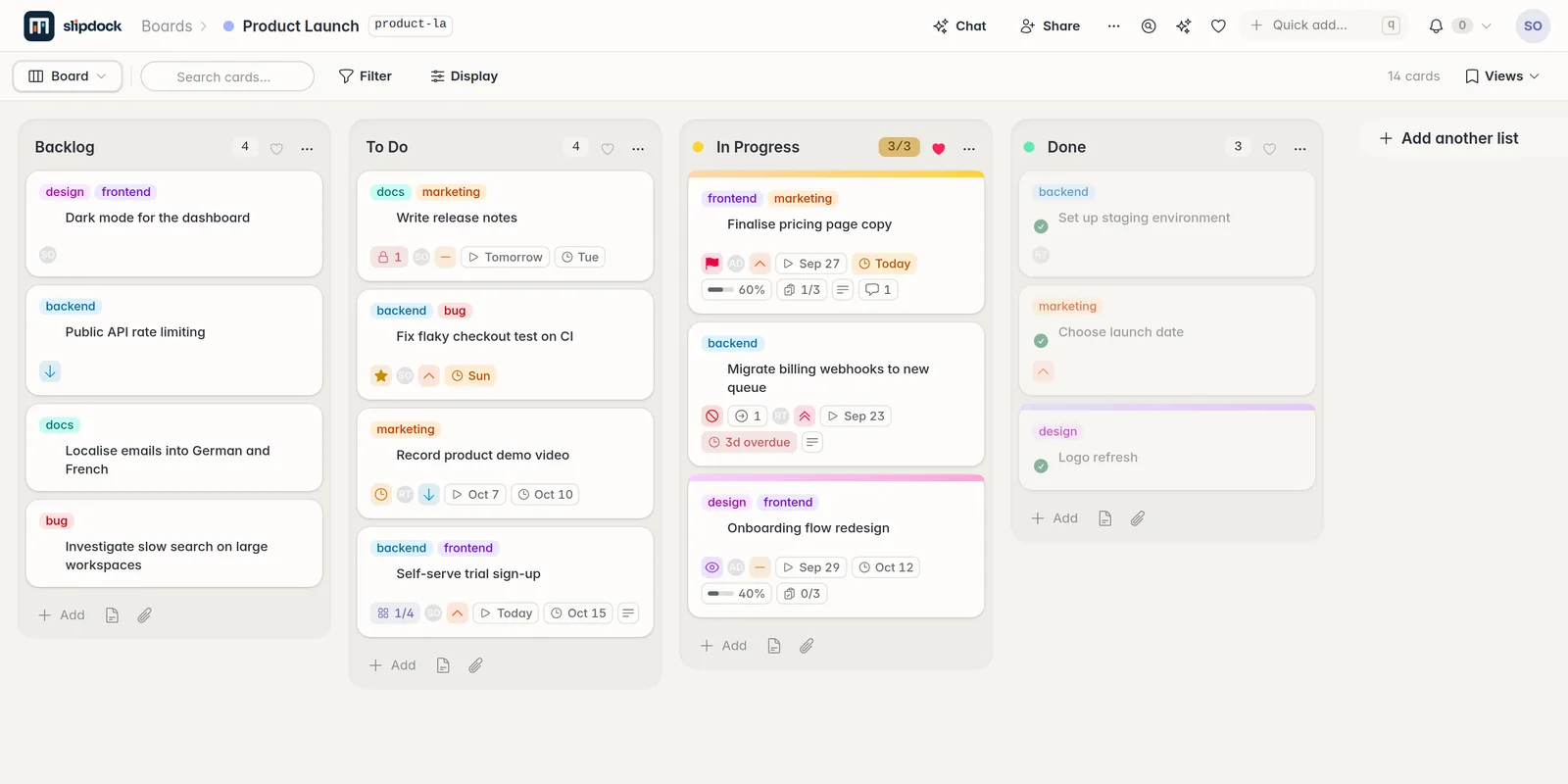
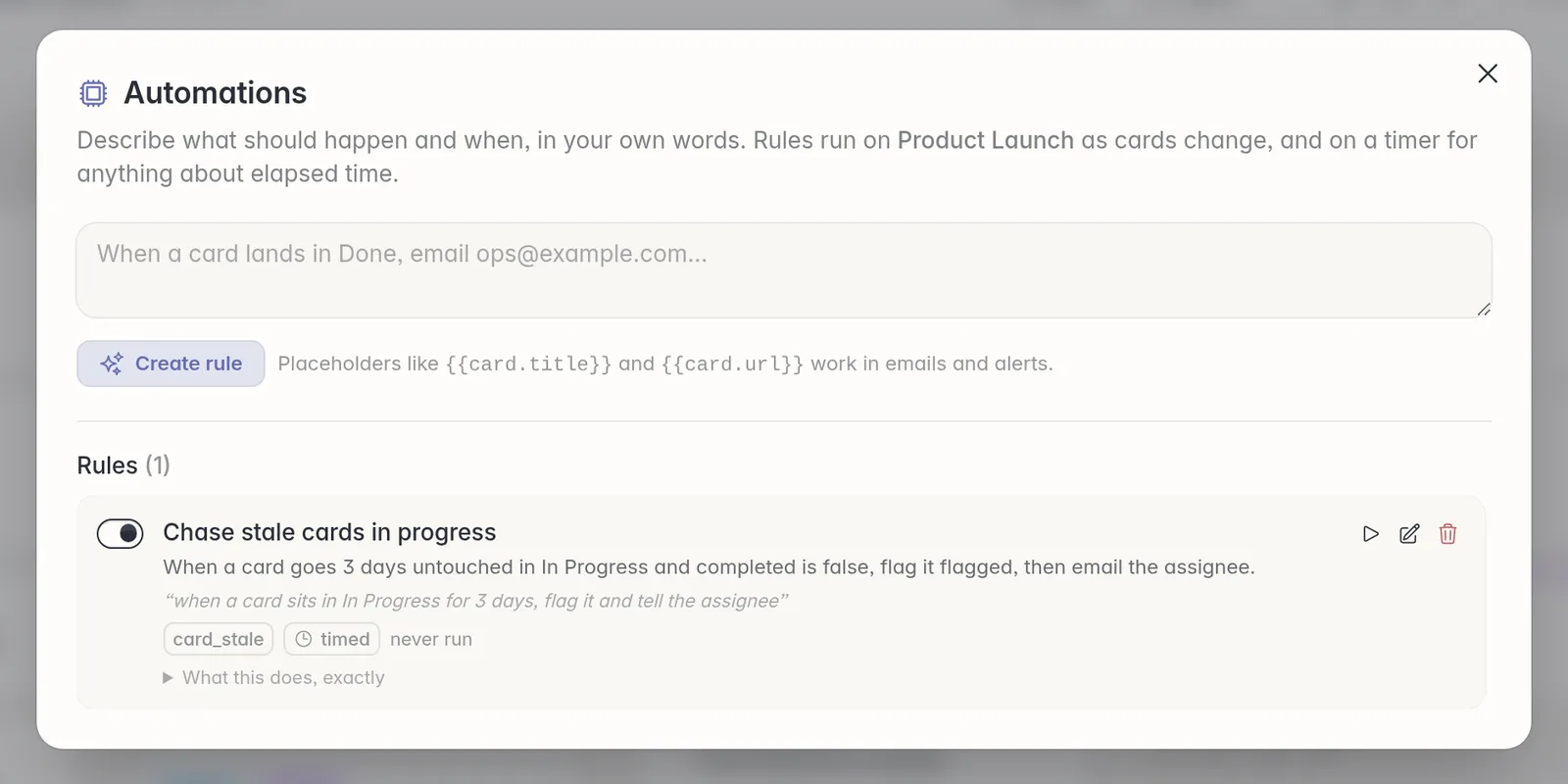
Automations are written as sentences (“when a card sits in In Progress for 3 days, flag it and tell the assignee”) and search understands meaning, so a question about the invoicing bug finds the card even when the word “invoice” never appears in it. Everything is available over a JSON API, a CLI and MCP, so an AI agent can work the board the way a person does.
Use the hosted version at slipdock.us, or self-host it with Docker under the AGPL-3.0 licence. Built with Elixir and Phoenix LiveView, so every browser looking at a board updates the moment anything changes. If you’d like the source, get in touch.
BrowserHost
Runs real Chrome browsers on your desktop and lets a script, an AI agent or an LLM command-line tool on another machine drive them. It’s a self-hosted alternative to hosted browser services like Browserbase and Browserless, with one difference that matters: the browser is ordinary Chrome on a residential or office connection, and you can watch it. When automation hits a login it can’t finish, you finish it by hand and the agent carries on.
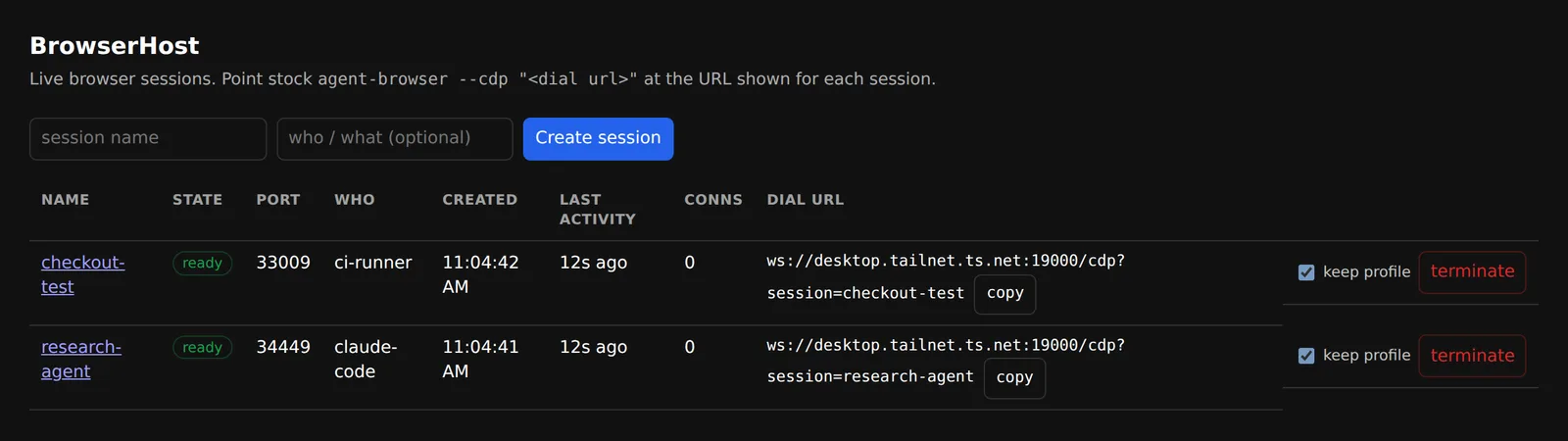
It’s a single Go binary. One port proxies Chrome DevTools connections to a browser per named session, launching Chrome on demand; the other serves the dashboard above. Clients use Vercel’s stock agent-browser, and the repository includes a ready-made Claude Code skill. It has no authentication of its own, so run it only behind a private network such as Tailscale. MIT licence; Windows first, with macOS support. BrowserHost on GitHub.
Window Winner
Brings every open window onto one monitor with a click. Use it when windows are stranded on a screen you’ve switched off, when you undock a laptop, or when you want everything in front of you.
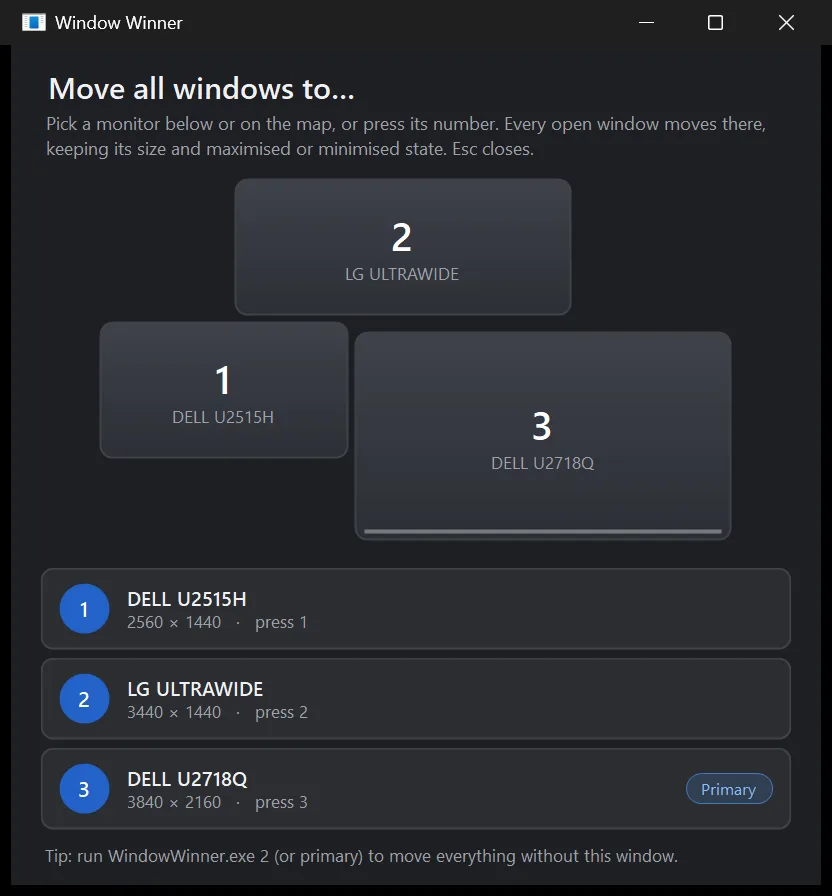
It draws a map of your monitors as they’re physically arranged, named by model. Click one, or press its number, and every window moves there: maximised windows stay maximised, minimised ones stay minimised, and normal windows keep their size unless they wouldn’t fit. Run WindowWinner.exe primary from a shortcut and it becomes a hotkey with no window at all. It’s a single small .exe for Windows 10 and 11 with nothing to install, MIT licensed. Window Winner on GitHub.